I am delighted to be your guest host for this week’s LAPC. Thank you John for getting us into/onto the water last week.
As much as I enjoy photographing water, I also love black and white photography! I don’t process a lot of it, but when I do I enjoy the texture and depth it gives a scene. It reaches a place in your soul that color can’t. Some images cry out for black and white.
This post is not a “how to” or history lesson, but a vehicle to get you excited about processing in black and white. As photographers, we all have our own unique way of doing that. Some shoot in black and white while others shoot in color and process in black and white.
I’ve watched many videos and attended workshops on black and white photography only to realize there is no set way to create a good black and white image. I have, however, settled on a workflow that produces the results I like. This is my workflow.
First, I always shoot in RAW and in color. That gives me more flexibility and more tonal range to work with. Very rarely do I see the image in black and white before I shoot it. I mostly see color until I get it into Lightroom.
This fog landscape I saw in black and white as I shot it. One of my rare moments.

Once I get my images into Lightroom, I process them in color. If I see an image with a lot of contrast, texture, and tonal quality, I finish the color processing and then look at it in black and white in Lightroom. If I see a possibility for a good black and white, I transfer the color image into Nik Silver Efex. This is where the fun begins.
Here’s a lily in color and black and white. Look at how the various colors, contrast and lighting transfer in tonal quality to the black and white.
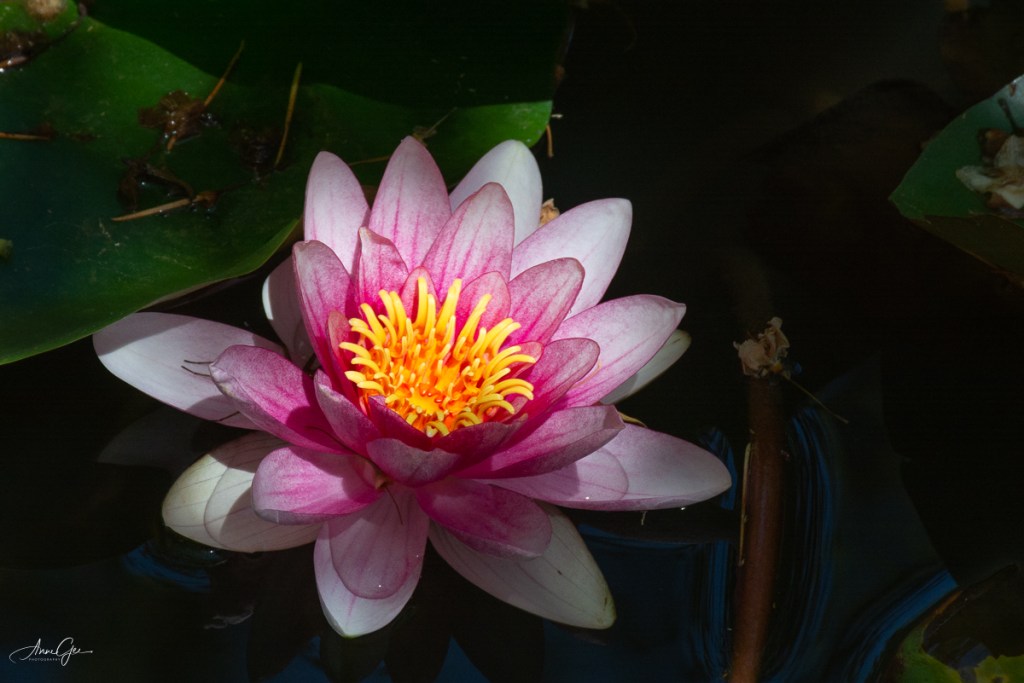

Although Photoshop and Lightroom have improved in their ability to process black and white, I still prefer Nik’s Silver Efex. I guess I’m just used to it and I like their presets. Better yet, I need their presets! I’m not an artist. I choose a preset and work on it from there. Nik also has the ability to use more than one preset on a single image. You can use the control points to dodge and burn (darken and lighten). I rarely do this but work more with the contrast and tone of the image. If you like different film effects, there are many film types and tones from which you can choose. Honestly, I don’t change film types but, sometimes, will give an image a different tone color.
This is the color version of Waterton Lake, Waterton Lakes National Park of Canada. A foggy day and not much color.

The same image processed in black and white. Adding texture and contrast, created a more inviting image.
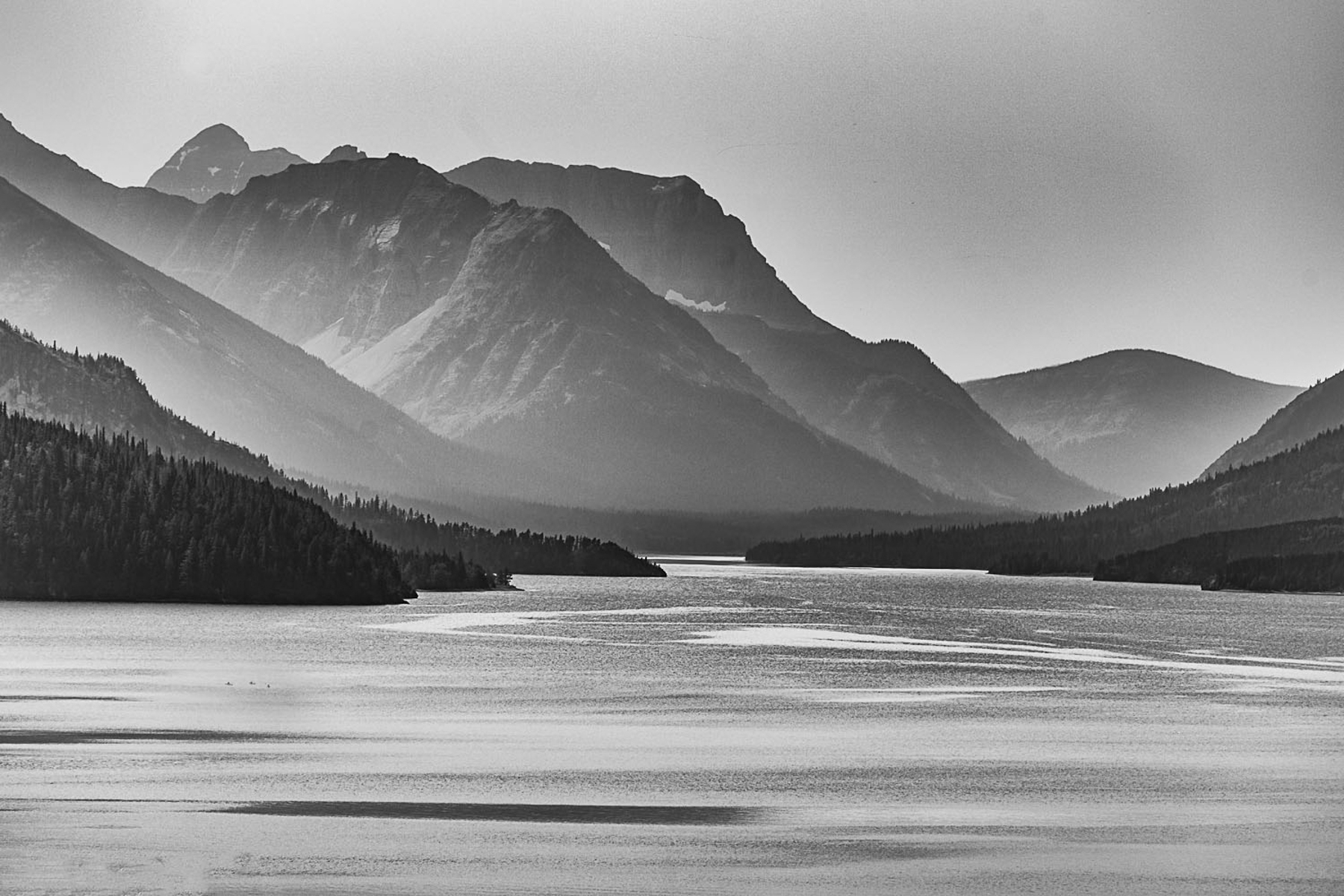
While in Silver Efex you can also add texture and do other editing that I prefer to do in Lightroom.
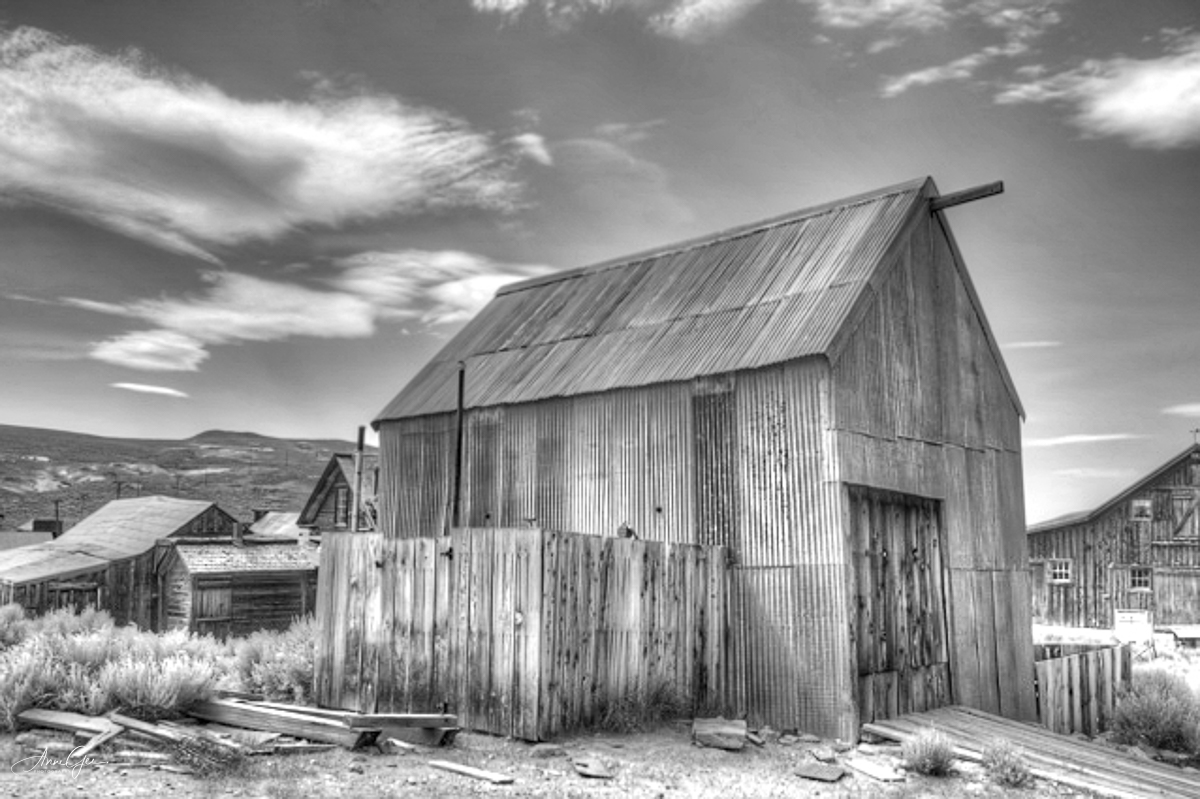
Sometimes the venue calls for black and white photography. One of my earlier black and white images taken while at Bodie a ghost town in Northeastern California.
Here’s another where I think the black and white conversion accents the splash of the wave on the platform. Taken in Pacifica.

Once I’m done in Silver Efex, I then export the image back into Lightroom for the finishing touches. I sometimes continue working on the contrast and light. I love how Lightroom’s tone curve helps with that. For me I like images to have some “pop!”
Also figures in shadow are accented in black and white. This image was taken at the Marin Headlands during one of my first Meetup outings.

Back to the present, my latest black and white conversion is a lotus in the William Land Park pond. It’s beautiful in color, but how do you feel (Yes, feel it not think it!) about it in black and white? For me, the curves, contrast and lighting are accented.
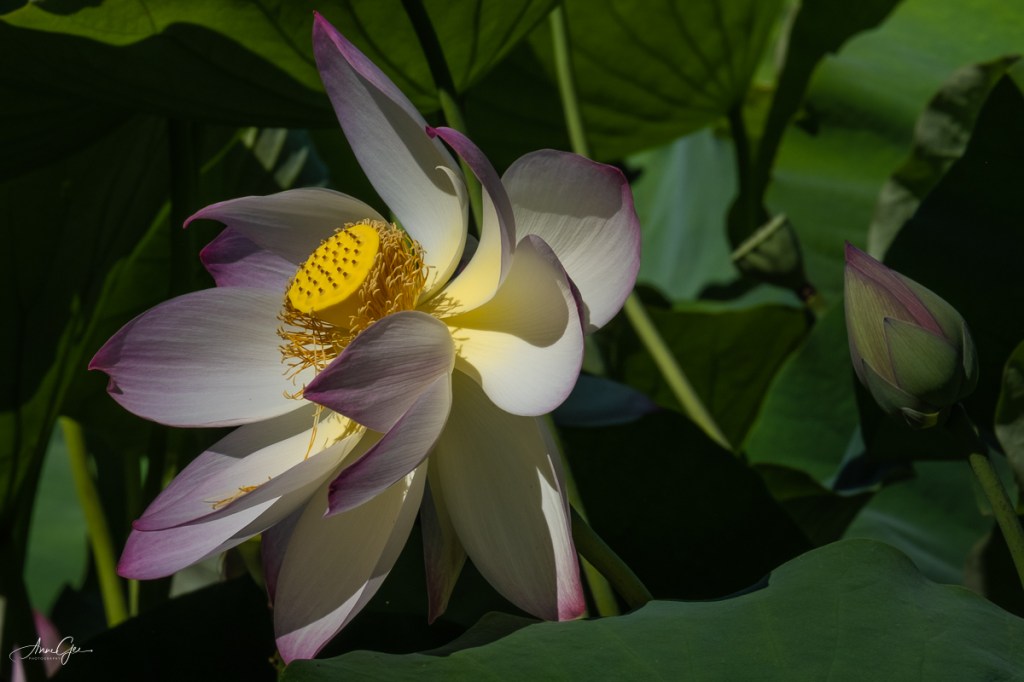
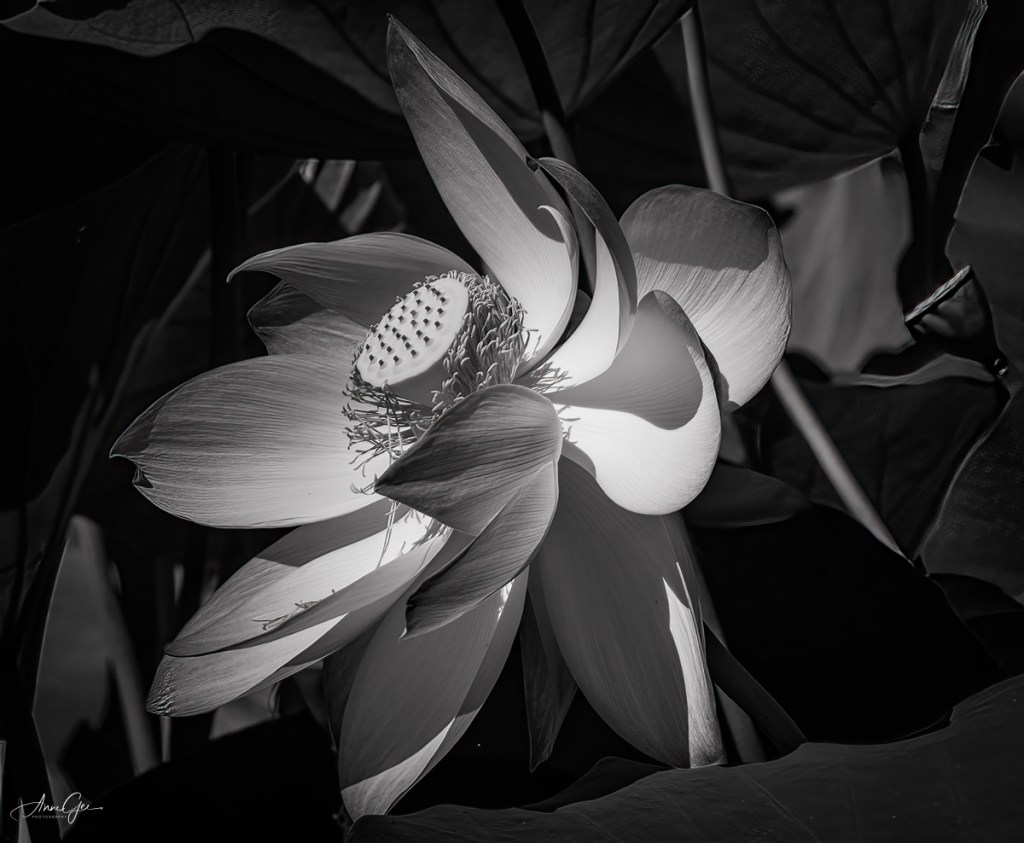
So, this is my method for processing an image to black and white. I’m sure you have your own workflow for black and white photography, and I’d like to know what it is and see your images. This week’s challenge invites you to dig through your archives for black and white images or process color images in black and white. You can also take new pictures and process them in black and white.
As you post them, please explain how you processed them. This will help all of us learn new ways of doing what we’ve been doing for a long time. I hope you are now ready to see the black and white possibilities as you shoot and/or process.
Thank you, Tina, Amy, Ann-Christine and Patti, for giving me this opportunity. I do appreciate it!
Remember to link this post and use the Lens Artists tag. Next week’s challenge will be presented by Rusha Sams of Oh The Places We See: Getting Away.
She will be followed by:
July 24: Beth Smith of Wandering Dawgs: TBD
July 31: Ana Campo of Anvica’s Gallery: Postcards
 Slow Shutter Speed
I was busy all day with this post. It’s quite Mexcessive, hopefully interesting too. Thank you for the exercise.
LikeLike
Check my comment on your post. Well done!
LikeLiked by 1 person
I’m unsure if ping-backs are working.
https://islandinthenet.com/the-black-and-the-white/
LikeLike
I enjoyed reading about your editing process. The black and white really works well for the flowers.
LikeLike
What a great challenge, I had to dig into my archives as I havent done any B&W lately. guess I neeed to remedy that. heres what I put together for this challenge.
https://onetbiwifesjourney.wordpress.com/2021/07/11/lens-artist-challenge-black-white-156/
LikeLike
I have never done B&W! Thank you for giving me a chance to stretch my photography muscles in new ways haha 🙂
LikeLike
I enjoyed your description of the process. I like the extra details that you manged to bring out in the monochrome version of the photo of Waterton lake. The photo from Bodie also looks good in B&W; the texture of the corrugated metal is lovely. As for the lotus, the dramatic light is better in B&W, but I like the lovely colours in the other version.
Here’s mine this week:
LikeLike
I got very excited indeed, Anne. Thanks for the challenge and the much needed distraction. I loved hearing about your process. I wish I had room on my computer for some of those photo editing tools but probably a good thing I don’t have them otherwise I would be playing with them all day.
I loved your flowers, Anne, especially the water lily. The ghost town was a big hit with me too.
LikeLike
Hi Anne. I am happy I found your site. This is Fun .Love these images and the flower is so beautiful…here mine.
https://100countrytrek.com/2021/07/12/lens-artists-challenge-156-black-and-white/
LikeLike
See my comment on your post.
LikeLike
Yes..thanks for your comment.
LikeLike
See my comment on your post! Loved the flower!
LikeLike
See my comment on your post!
LikeLike
A very inspiring post, Anne. Thank you.
https://tishfarrell.com/2021/07/13/over-the-garden-fence-the-monochrome-series/
LikeLike
Check my comment on your post!
LikeLike
A lovely interesting post. I like the difference the editing made to the Lake photo. I usually prefer flowers in colour because I feel that is their characteristic, but sometimes and especially with the more structural plants black and white works well to bring their features to the fore. As I think it does with the lotus flower. I do have a problem with the sky in black and white, especially when it is very blue and has very white clouds. It just looks wrong. A grey sky however can be hugely enhanced. Thanks for the challenge and the post. Jude
LikeLike
I loved your bench in black and white. It really brought out the texture.
LikeLiked by 1 person
Here is my entry for the week, a series of 5:
https://onemillionphotographs.com/2021/07/13/36531-black-and-white-at-smith-rock-state-park-near-bend-oregon/
https://onemillionphotographs.com/2021/07/13/36532-black-and-white-at-manito-park-in-spokane-washington/
https://onemillionphotographs.com/2021/07/13/36533-black-and-white-at-manito-park-in-spokane-washington/
https://onemillionphotographs.com/2021/07/13/36534-black-and-white-at-the-international-rose-test-garden-in-portland-oregon/
https://onemillionphotographs.com/2021/07/13/36535-black-and-white-at-the-international-rose-test-garden-in-portland-oregon/
LikeLike
All five images were beautiful! I especially liked the last rose. Thanks for participating!
LikeLiked by 1 person
Thank you for the kind words!
LikeLike
Great selections. It is slowwwww loading on my Firefox browser, so I can’t like or comment. Well done, though.
LikeLiked by 1 person
Thank you!
LikeLiked by 1 person
It looks like my pingbacks are not working; so by hand 🙂
https://chrisbreebaart.com/2021/07/12/high-street/
https://chrisbreebaart.com/2021/07/13/shutters/
https://chrisbreebaart.com/2021/07/14/sunset-at-low-tide/
I am lucky to have the experience of shooting photos on mono/bnw for a long time when I started way back in the seventies of the 1900’s.
These three are from the archive on film. Nowadays I try to shoot black and white digital in black and white modus on my iphone. On Nikon it works well from raw in Lightroom to convert, or in Snapseed as a mobile tool.
LikeLike
https://chrisbreebaart.com/2021/07/15/paros/
LikeLike
https://chrisbreebaart.com/2021/07/16/rendez-vous/
LikeLike
Nice photos.
I especially like the tree and the flowers.
The tree due to how the branches seem to become matted within each other, and the flowers due to how the monochrome brings focus to their form.
Here’s mine for this one.
LikeLike
Thank you for hosting this week’s challenge, Anne. Great images for the theme! The barn really works well in b/w.
LikeLike
Thank you Sue!
LikeLiked by 1 person
Your lotus is so stunning. I love your photos for this week. I adore your topic too.
Here is my entry.
LikeLike
Thank you Cee! See my comment on your post.
LikeLike
See my comment on your post!
LikeLike
Amazing photos and love the lotus. 🙂 Here’s mine, https://tblsite.me/2021/07/14/lens-artists-156-black-white/
LikeLike
See my comment on your post. Well done!
LikeLike
See my comment on your post!
LikeLike
This was a lot of fun to look at my archives and find shots that converted nicely into black and white.
https://lindylecoq.com/2021/07/15/lens-artists-photo-challenge-156-black-and-white/
LikeLike
Beautiful. I really like Silver Effects Pro as well, it has wonderful presets.
LikeLike
Thank you!
LikeLike
See my comment on your post!
LikeLike
This was a fun challenge! I have not played with monochrome or any form of filter in a long time! Love the edit on Waterton Lakes — there’s so much depth with the black and white!
LikeLike
Julie, see my comment on your post!
LikeLike